One set of credentials
Your registered email and password work on desktop browsers, mobile browsers and the PWA shortcut.
Sign in to your Wakuna account
Use your registered email and password on desktop, mobile browser or the Home Screen shortcut, with live chat and email help 24/7.
How signing in works
One set of credentials
Your registered email and password work on desktop browsers, mobile browsers and the PWA shortcut.
Protected access
Email verification and password protection guard the account, with additional identity checks where required.
Android and iOS
Sign in from Android 8.0 or iOS 13.0 and later through a supported browser or the Home Screen shortcut.
Keeping your Wakuna account secure
What to do
What to avoid
A failed login usually traces back to a mistyped password, an email that was never verified or an identity check that is still open, and our support team can restore access around the clock.
| Symptom | What to do |
|---|---|
| Password is rejected | Retype it carefully, then ask live chat or email support to help you reset it |
| Account asks for email verification | Complete the email verification step, then log in again |
| Extra identity check requested | Send the documents support asks for, which are typically checked within 24 to 72 hours |
| Home Screen shortcut will not open | Open our website in your browser, log in there and add the shortcut again |
Live chat and email are staffed 24/7 in English across Australian time zones, including AEST and AEDT.
You sign in with the email and password you set when you registered, and we may ask for an additional identity check where required.
The same credentials work on desktop browsers, mobile browsers and the PWA shortcut, and every account is held in AUD.
The log in form asks for your email and password, offers Apple and Google sign-in, and has a Forgot password link and a Contact us link under the button.
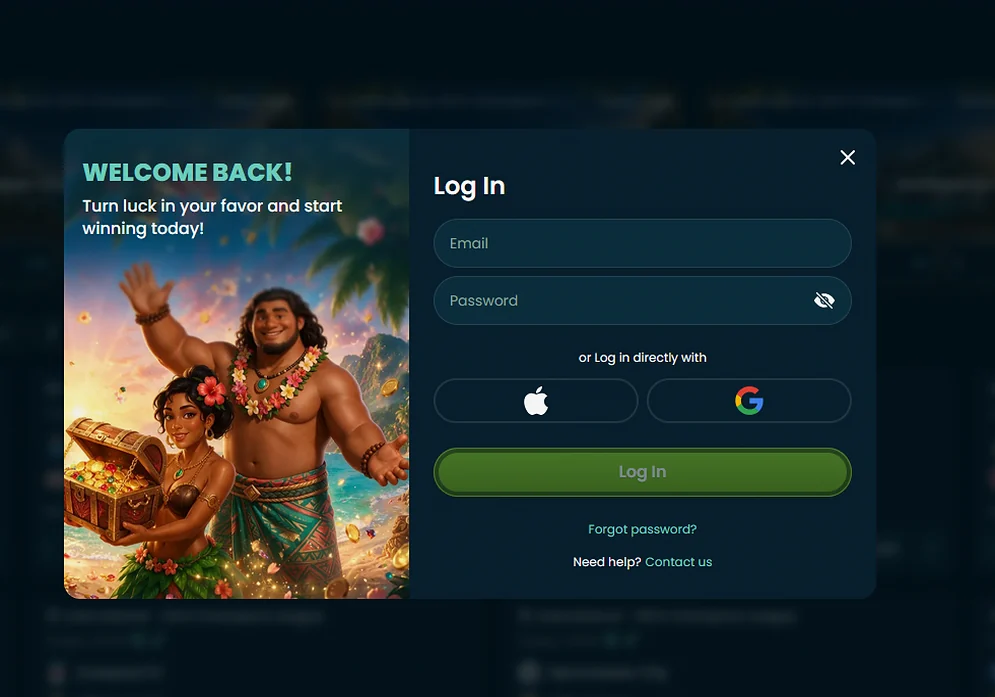
Logging in uses the same credentials on every device, and only the way you open Wakuna changes.
Open our website in your desktop browser, choose the login option and enter your registered email and password.
On Android 8.0 or later, or on iOS 13.0 or later, open our website in a supported browser and sign in with the same details.
If you added Wakuna to your Home Screen, open the shortcut and sign in there. Wakuna has no dedicated Google Play or Apple App Store listing, so the shortcut is a Progressive Web App added through the browser.
Your account is protected by email verification and password protection, and we run identity, residential address and payment ownership checks before withdrawals.
For identity we accept a passport, an Australian driver’s licence or another national identity document. For address we accept a recent utility bill, a bank statement or official government correspondence, and for payment ownership a bank or card statement or an electronic wallet confirmation. Checks typically take 24 to 72 hours, and we may request bank statements or payslips as source of funds evidence where required.
Registration opens your AUD account and is required before you can sign in. You register on our website with your email, a password and your account currency, verify the email, and you must be 18 or over.
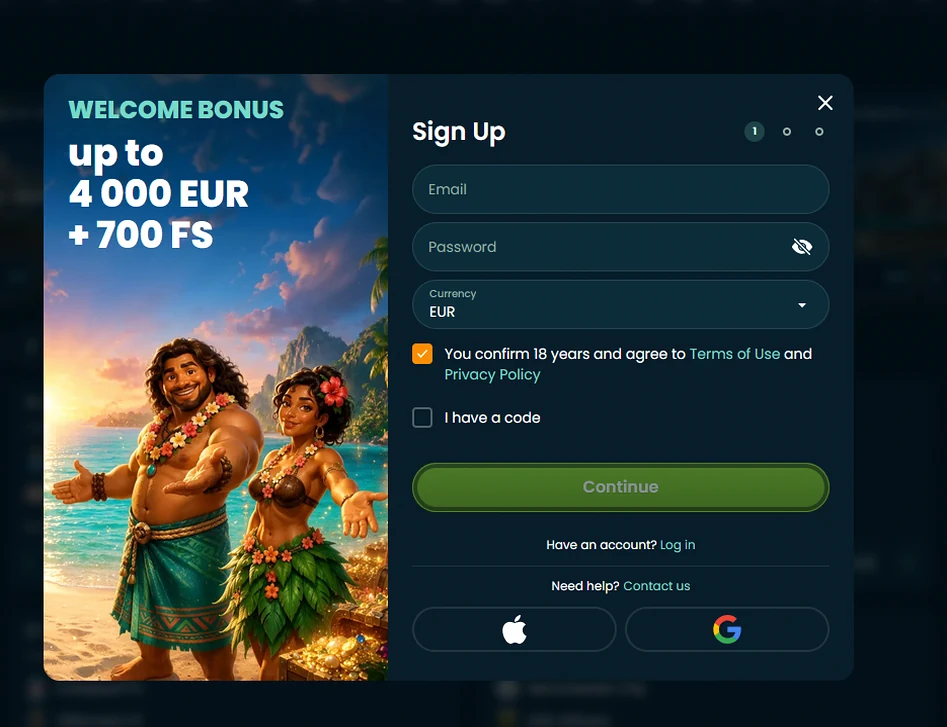
The first step of the form also has an I have a code box and Apple and Google buttons, and the next two steps finish your profile.
Once your account is open, you can read about the welcome package and its terms in the full bonus terms before you make a deposit. 18+ only. Please gamble responsibly.
Login questions
Yes, the PWA shortcut opens Wakuna with the same email and password, on Android 8.0 or iOS 13.0 and later.
Contact live chat or email support, which is staffed 24/7 across Australian time zones, and we will help you regain access after the identity checks that apply.
We may ask for a passport, an Australian driver's licence or another national identity document, plus a recent utility bill or bank statement as proof of address.
Log in to Wakuna
Claim 150% up to $1,000 and 150 free spins on your first deposit. 18+ only.
Start playing 18+ only. Gambling carries a risk of addiction, and bonus terms apply to every offer.