Home Screen shortcut
A Progressive Web App added through Add to Home Screen in a supported browser, with no store download.
The Wakuna app on Android and iOS
Add Wakuna to your Home Screen on Android 8.0 or iOS 13.0 and later, and play pokies, live tables and sports in AUD.
Add Wakuna to your Home Screen
What the Wakuna app gives you
Home Screen shortcut
A Progressive Web App added through Add to Home Screen in a supported browser, with no store download.
Full lobby in AUD
Pokies, live casino and sportsbook with an AUD cashier that takes PayID, POLi and BPAY.
Protected account
Email verification, password protection and identity checks where required.
Wakuna on your Home Screen
Add Wakuna to your Home Screen on Android 8.0 or iOS 13.0 and later, and play pokies, live tables and sports in AUD.
Open on mobile 18+ only. Gambling carries a risk of addiction, and bonus terms apply to every offer.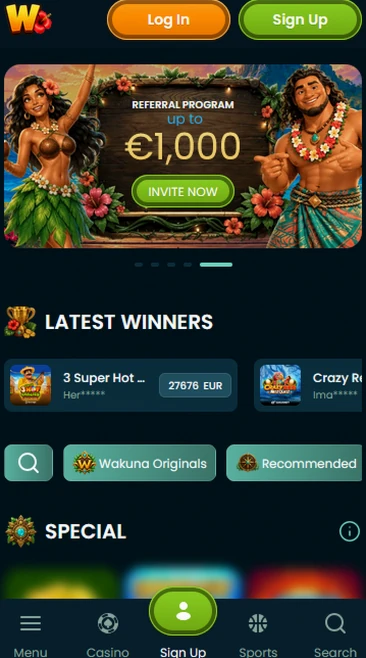
Device requirements
Android
iOS
The Wakuna app at a glance
Pros
Cons
Installing safely
What to do
What to avoid

The app opens the same lobby as our website, so pokies from Pragmatic Play, Play’n GO and NetEnt, live tables from Evolution Gaming and Ezugi, and instant games from Spribe and Turbo Games are all on your phone.
Sweet Bonanza and Gates of Olympus from Pragmatic Play list an RTP of 96.50%, Book of Dead from Play’n GO lists 96.21% and Starburst from NetEnt lists 96.09%. Money Train 2 from Relax Gaming and Razor Shark from Push Gaming are in the same lobby.
Lightning Roulette, Crazy Time, Monopoly Live and Crazy Coin Flip are streamed by Evolution Gaming, alongside tables from Pragmatic Play Live, Ezugi, Playtech Live and Vivo Gaming, and the live lobby adds Iconic21, Lucky Streak, Winfinity and BETER Live.
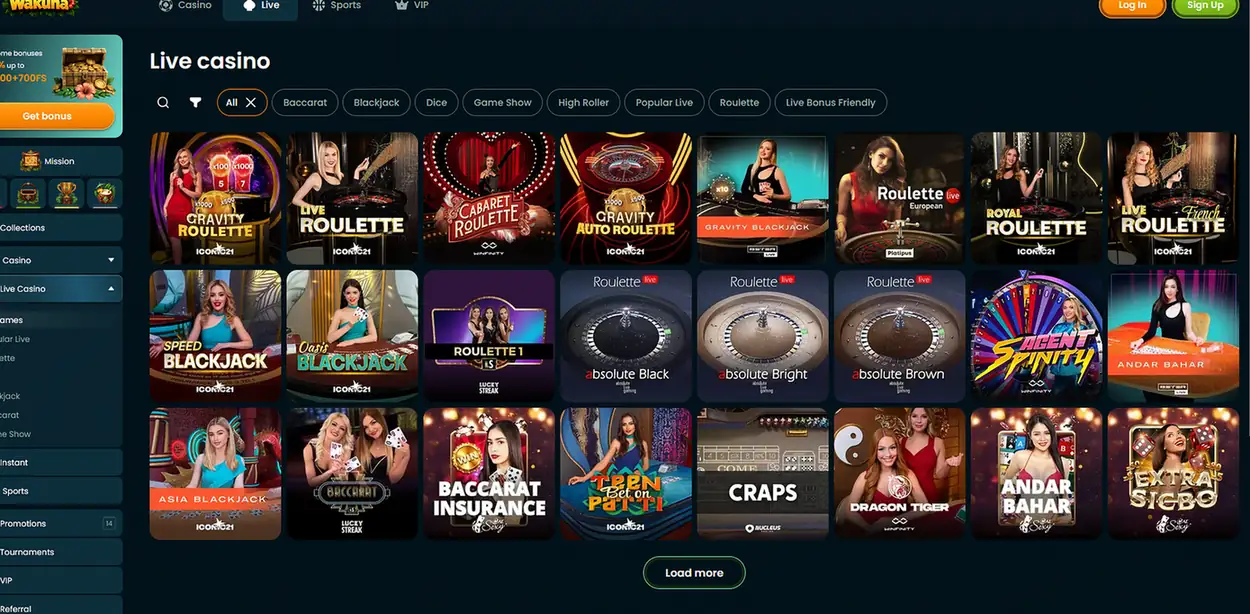
Aviator from Spribe and Mines from Turbo Games run in the app for short rounds.
On a wide screen the same lobby looks like this, with the Casino, Live, Sports and VIP menu along the top.
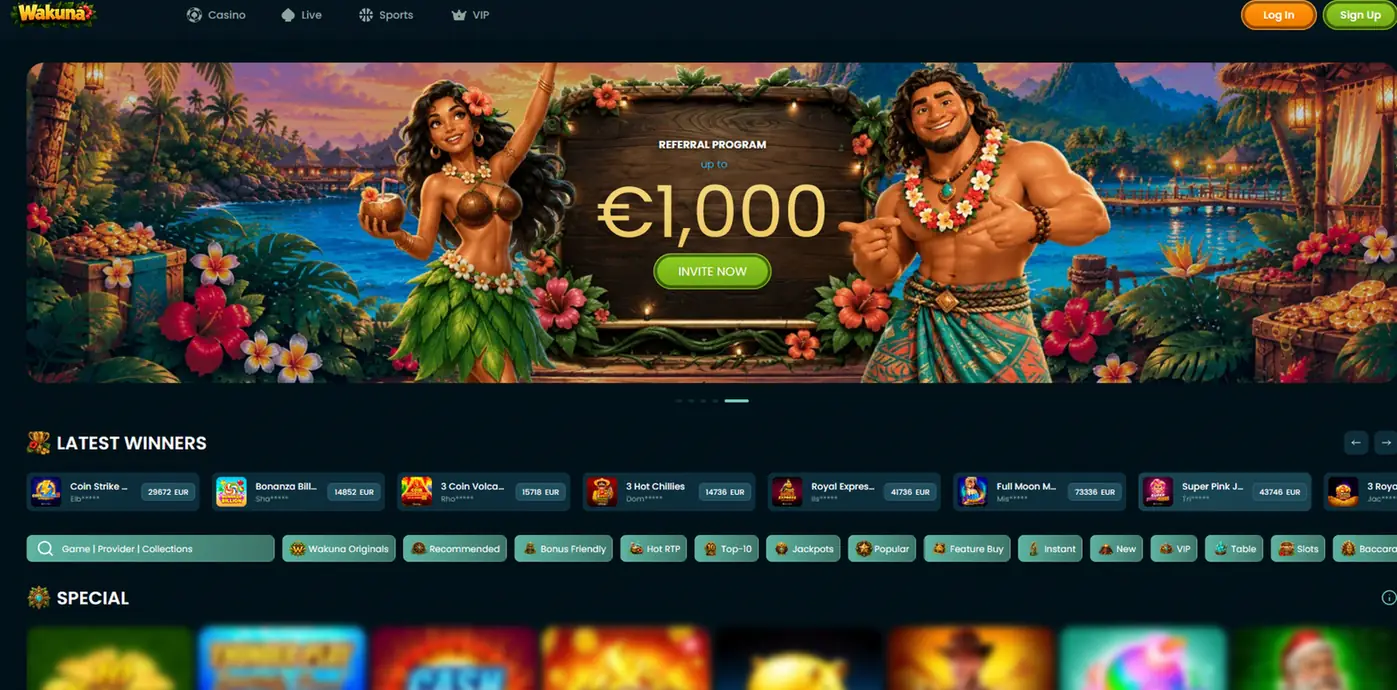
Wakuna is a Progressive Web App, so the shortcut on your Home Screen opens our site with the lobby, the cashier, the sportsbook and support in English and in AUD.
You get the AUD cashier with PayID, POLi, BPAY, Visa, Mastercard, Skrill, Neteller, bank transfer and cryptocurrency, the sportsbook with Bet Builder and Cash Out on eligible markets, and live chat and email support.
The app and the browser share one account and one balance. The difference is installation: the app is a shortcut added through Add to Home Screen, and there is no separate download from Google Play or the Apple App Store.
The cashier in the app takes the same methods as the browser, with deposits instant for cards, supported local payment methods and electronic wallets.
| Method | Deposit time | Withdrawal time |
|---|---|---|
| Visa and Mastercard | Instant | 1 to 5 business days |
| PayID | Instant | Typically within 24 hours after approval |
| POLi | Instant | Not listed |
| BPAY | Instant | Not listed |
| Skrill and Neteller | Instant | Typically within 24 hours after approval |
| Bank transfer | 1 to 3 business days | 1 to 5 business days |
Cryptocurrency is also available, with minimums of $20 for deposits and $30 for withdrawals.
Withdrawals go to the original deposit method where supported, after account verification. We confirm payment ownership with a bank or card statement or an electronic wallet confirmation, and standard processing fees are set at 0%, although payment-provider or currency-conversion fees may apply.
The welcome offer is open to you in the app as it is on the website: 150% up to $1,000 plus 150 free spins on the first deposit, completed through the promotional activation banner. 18+ only. Please gamble responsibly.
Wagering requirements, validity and eligible games differ by promotion, and the bonus terms and activation steps set them out in full before you deposit.
Because there is no Google Play or Apple App Store listing, the only genuine way to install Wakuna is from our own website in a supported browser.
Your account is protected by email verification and password protection, with additional identity checks where required. Before withdrawals we check your identity, residential address and payment ownership.
The app needs Android 8.0 or later, or iOS 13.0 or later, and a supported browser that offers Add to Home Screen.
| Platform | Minimum version | Installation |
|---|---|---|
| Android | Android 8.0 | Add to Home Screen through a supported browser |
| iOS | iOS 13.0 | Add to Home Screen through a supported browser |
| Desktop | Any supported desktop browser | Open our website directly |
Wakuna has no store listing, so installing means adding our website to your Home Screen as a Progressive Web App.
Open our website in a supported browser, then use the browser menu to add Wakuna to the Home Screen. The shortcut appears alongside your other apps.
Open our website in a supported browser on iOS 13.0 or later and choose Add to Home Screen from the browser menu. The shortcut opens Wakuna directly.
Registration and login work the same way on mobile as on desktop, and you must be 18 or over.
You register with your email, a password and your account currency, confirm you are 18 or over and then verify the email. Identity, residential address and payment ownership checks follow before withdrawals, and they typically take 24 to 72 hours.
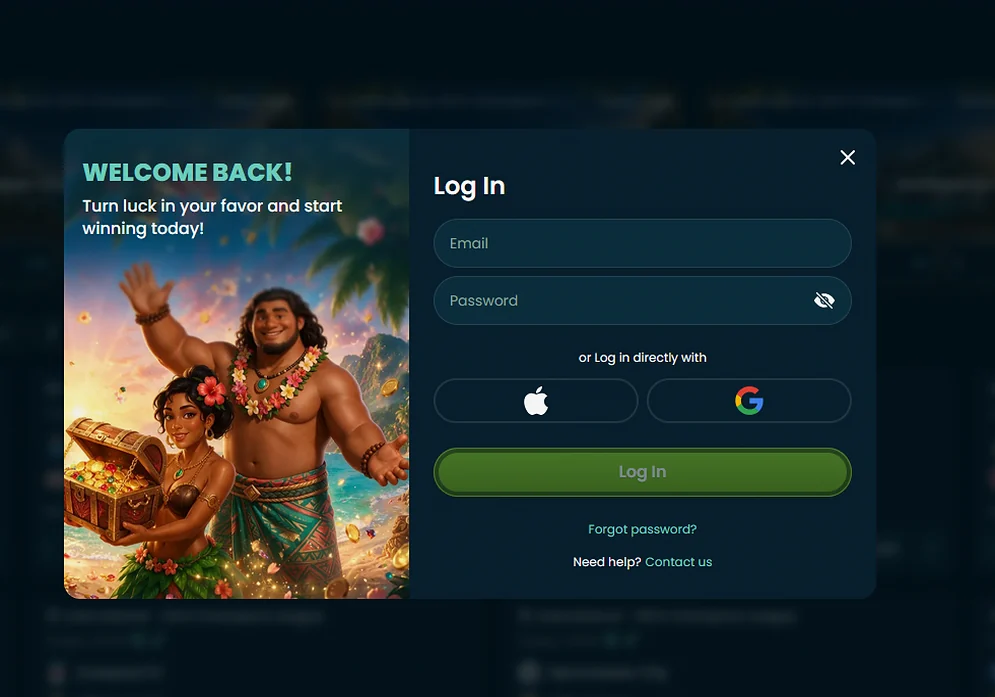
Open the Home Screen shortcut and sign in with the email and password you registered with, or use Apple or Google sign-in where the form offers it.
Live chat and email are staffed 24/7 in English across Australian time zones, including AEST and AEDT. Complaints start with customer support and are escalated to our compliance team when needed.
Deposit limits, loss limits, session reminders and cooling-off periods are available to every player, along with permanent self-exclusion.
App questions
The app runs on Android 8.0 and later and on iOS 13.0 and later through a supported browser.
No, there is no Google Play or Apple App Store listing, and you add Wakuna to your Home Screen from our website instead.
Because the app is a Progressive Web App delivered through the browser, there is no store update to install and the shortcut opens the current site.
Add Wakuna to your Home Screen
Claim 150% up to $1,000 and 150 free spins on your first deposit. 18+ only.
Start playing 18+ only. Gambling carries a risk of addiction, and bonus terms apply to every offer.